
SPY: new customers
This is a guide for new Float customers who needs to activate the SPY integration.
Activating the SPY integration
This guide explains how to activate the Float integration with SPY and how returns and exchanges will be handled once the integration is live.
The integration between Float and SPY supports exchanges and automates many of the manual steps in the return process.
Gift card refunds are not yet supported in SPYSPY does not currently support refunds back to gift cards. If you plan to offer gift card refunds in Float, you will need to either wait until SPY adds support or disable gift card refunds before activating the integration.
We are working with SPY on this upgrade, and it is already in their pipeline.
Step 1: Activate the SPY integration
To enable the integration, you first need to activate return handling in SPY.
Activation steps
Follow these steps to activate the integration:
1: In SPY, activate "Handle returns"
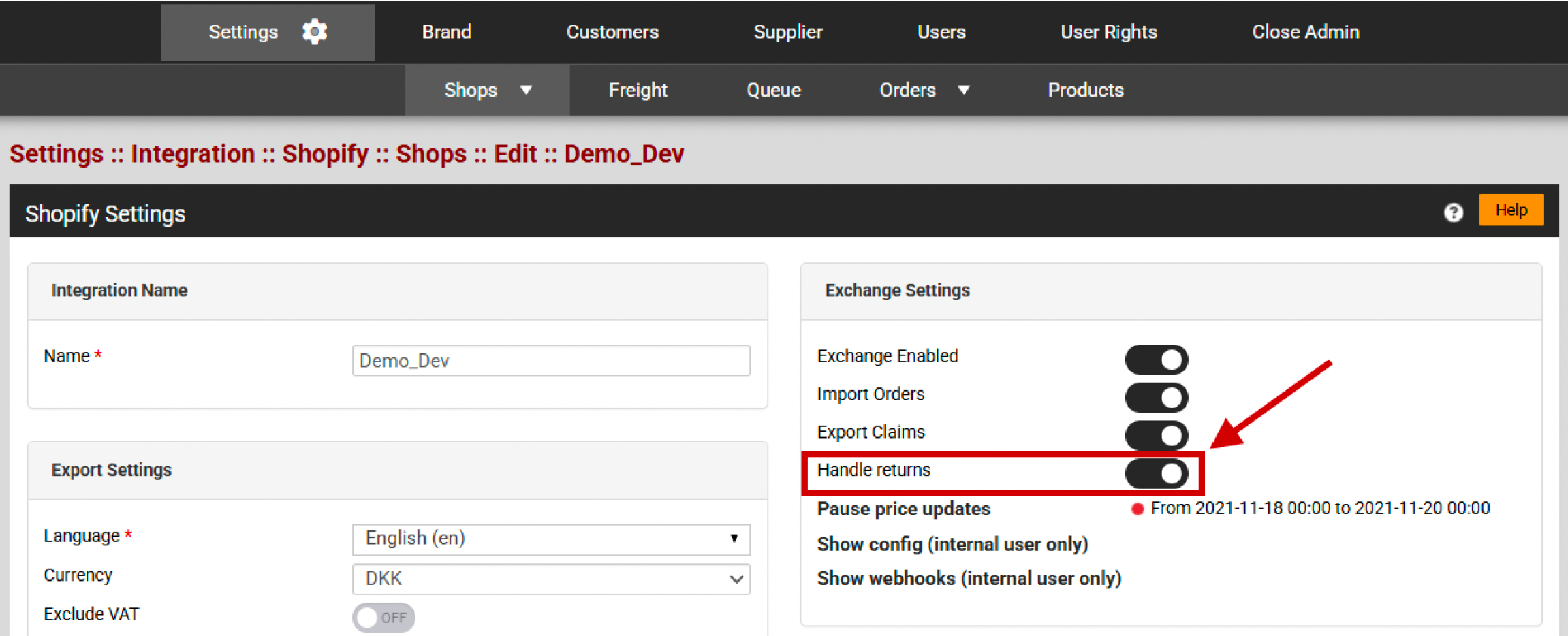
2: In SPY, set a default claim reason (can just be "Other")
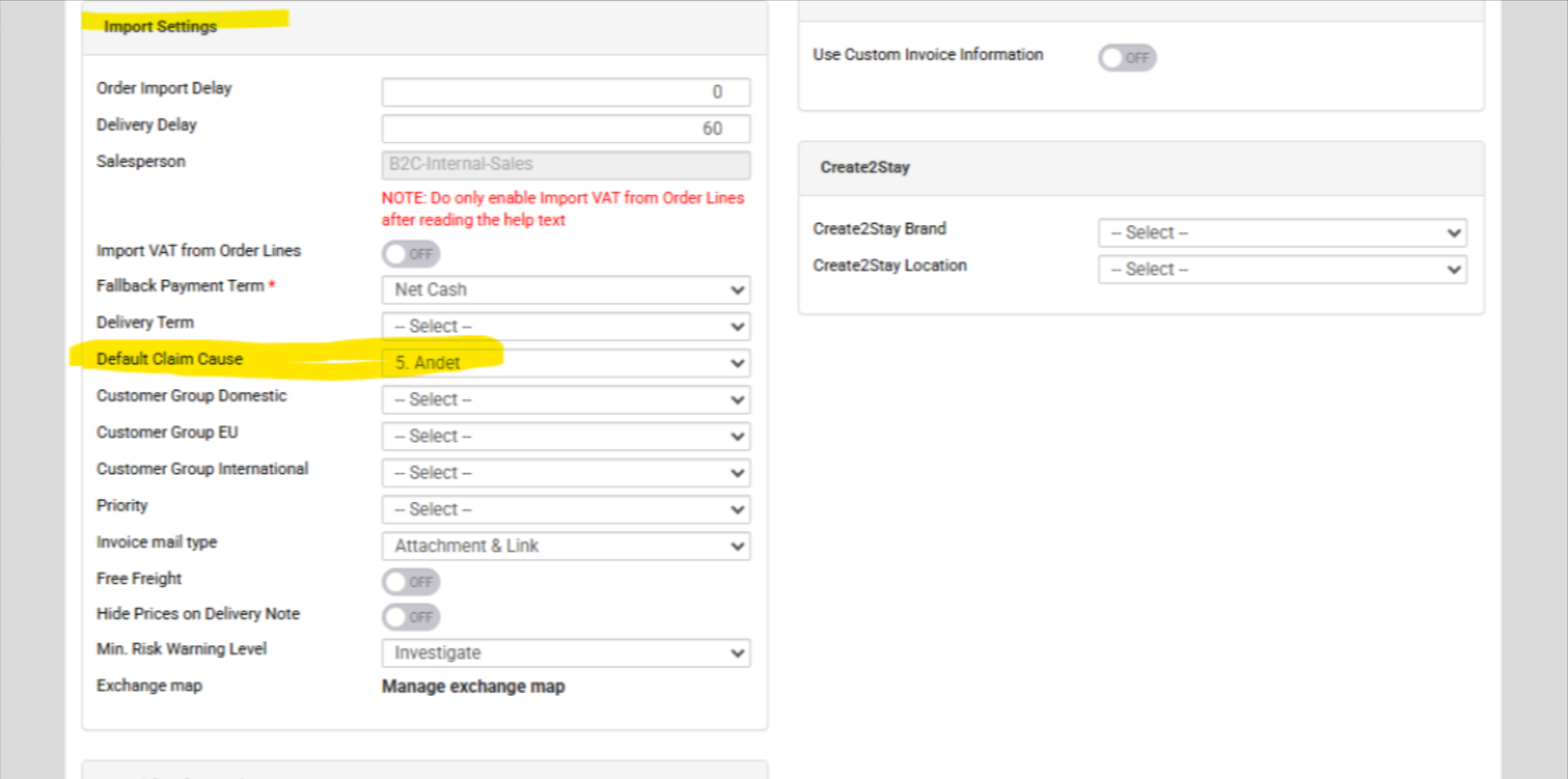
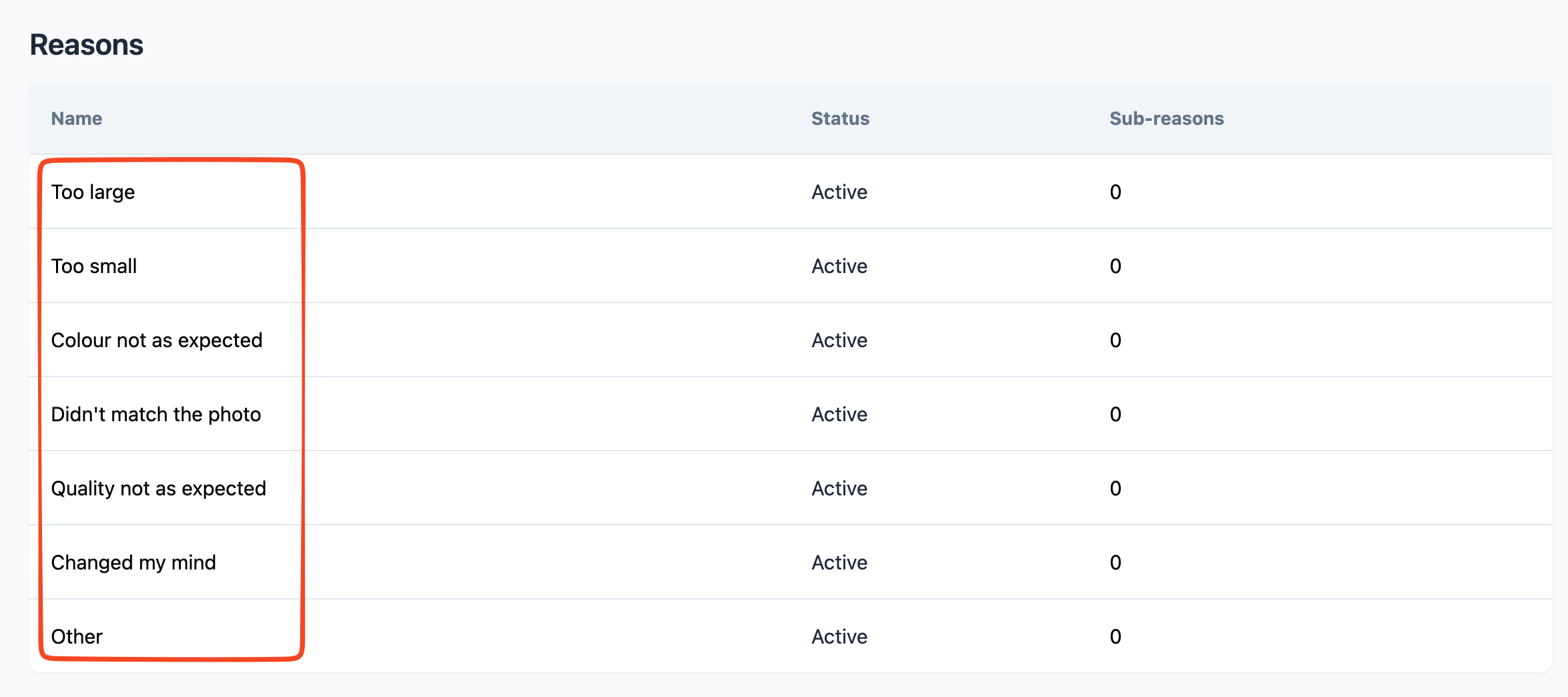
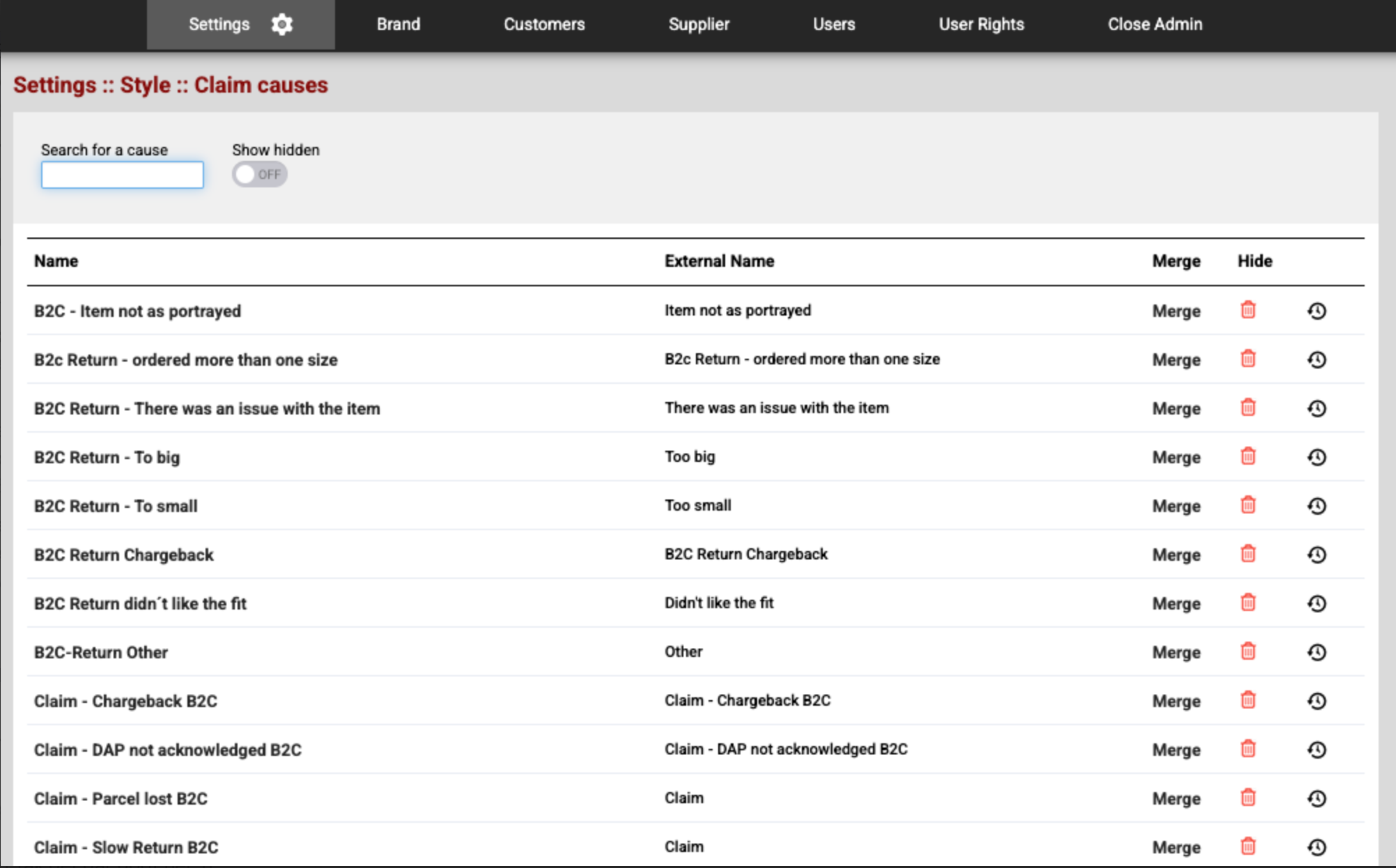
3: Make a Claims cause mapping (mapping return reasons from Float to SPY). You need to create an external name for your claim causes that matches the Float return reasons name.
External Name in SPY needs to match the return reason name in Float - NOT the translated version:
For instance if you have Claim cause in SPY called "B2C - Too large ", then that should map to Float return reason "Too large".
4: Let your Float contact know once this is activated.
5: Float will enable the integration with SPY
6 Activation is complete
Optional: activate return fee
Through the integration to SPY, Float supports preparing a return fee the automatically will be withheld from the refund amount. Float also supports optional refund of original outbound shipping fees if a return order is fully refunded.
If you want to use these features, please set a return fee under "Refunds" in Float:
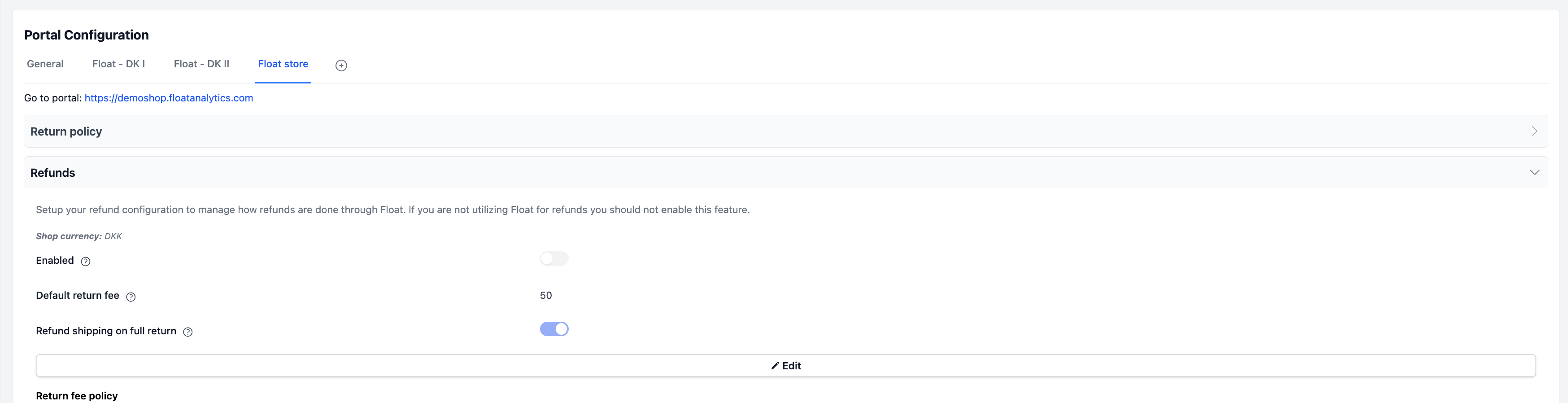
Do not press "enabled" as this will make Float process refunds, which should not be the case as these are handled via SPY.
What happens after activation?
Once the integration is active, Float and SPY will automatically synchronize all returns and exchanges.
All returns will follow Shopify’s new standard called native exchanges, where returns and exchanges are handled on the same Shopify order, and potential exchanges are automatically offset in refund amounts.
Customer payment rules
Customers will only need to pay if:
- They exchange for a more expensive item, or
- You require customers to cover return or outbound shipping costs
Returns and exchanges in Shopify
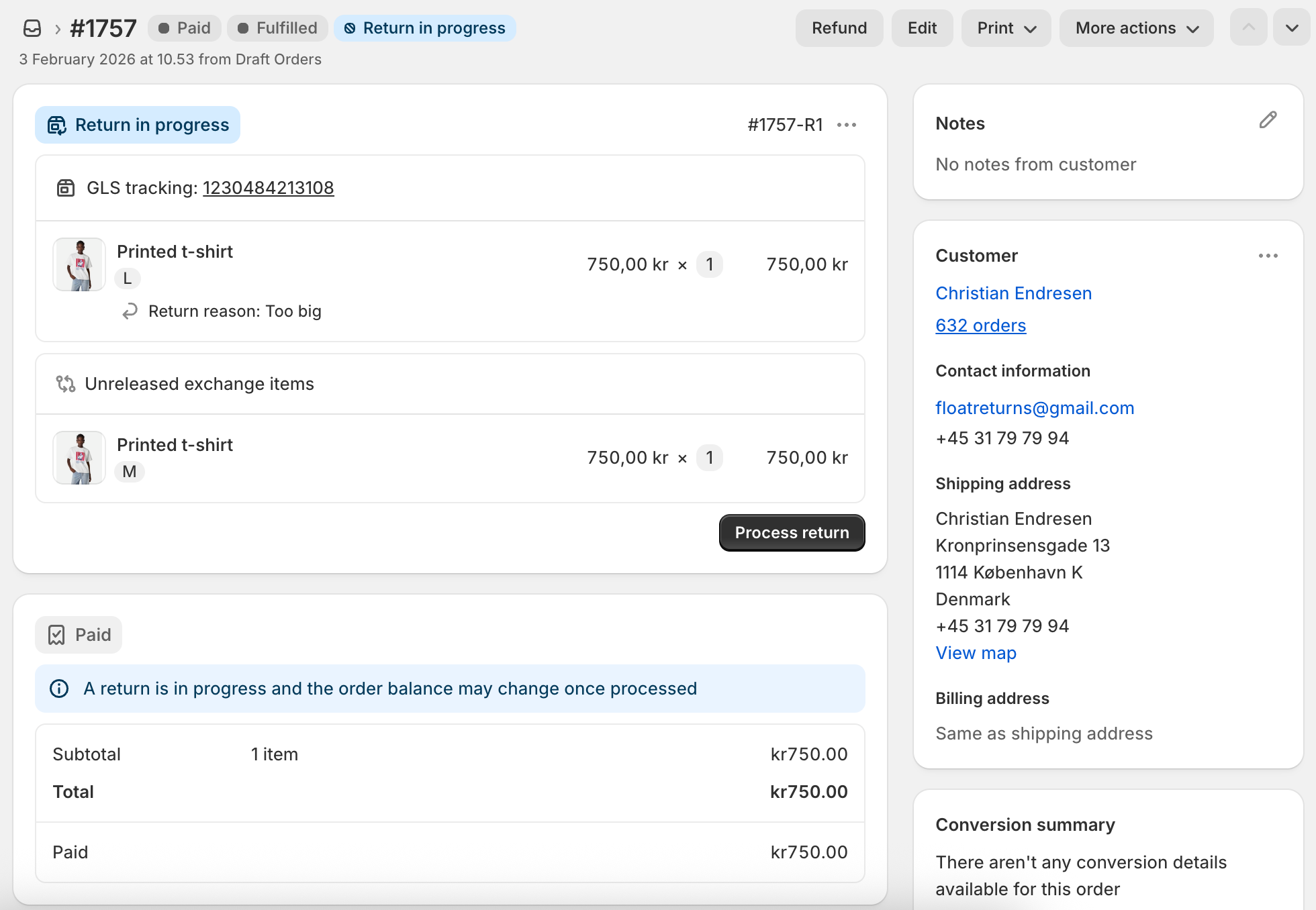
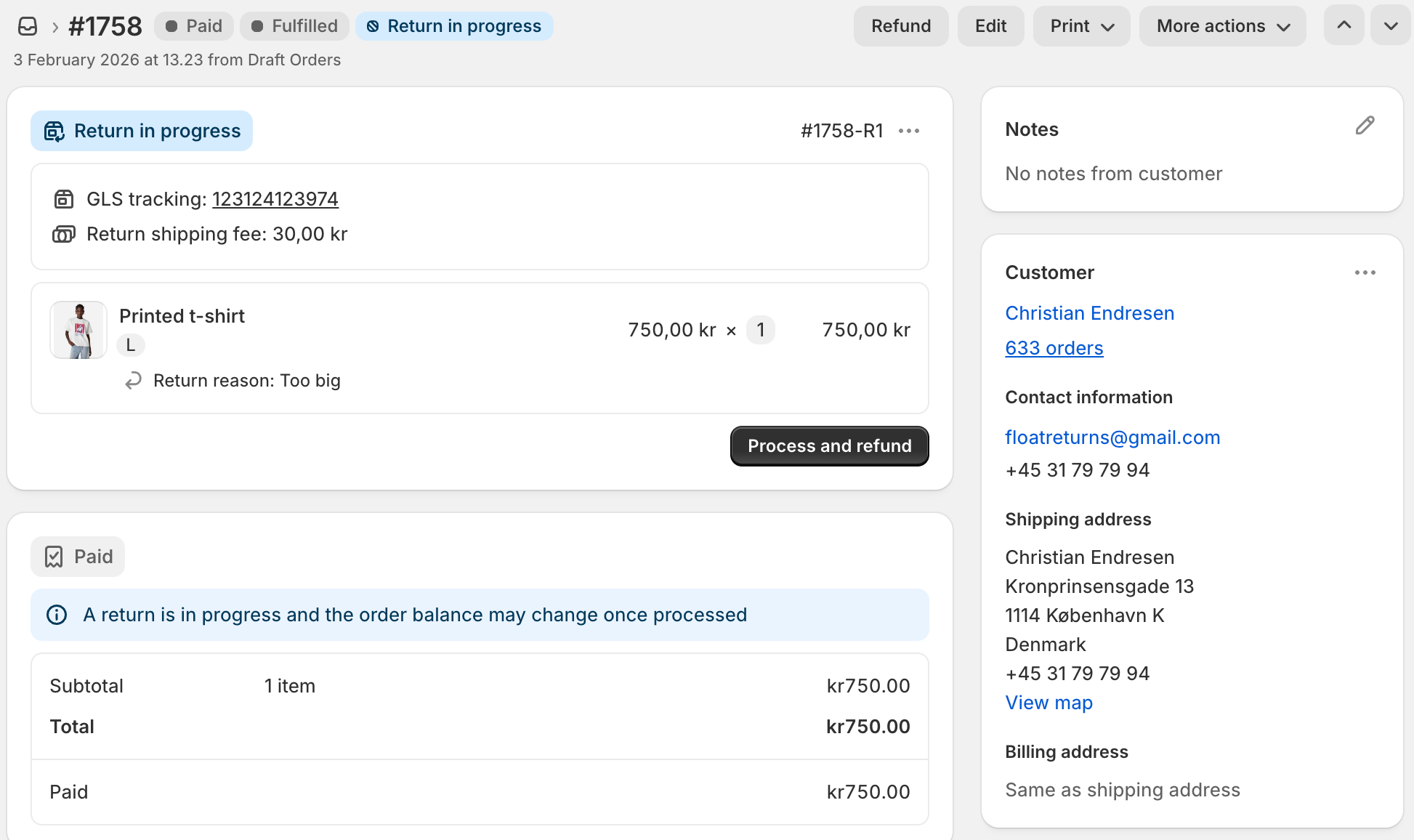
Once a return or exchange is created in Float, it will appear directly on the Shopify order, and SPY will automatically sync the same return.
Example: Return and exchange
Example: Return without exchange
How the return process works
The full return workflow is automated across Float, Shopify, and SPY.
High-level process overview
For detailed instructions on how to process returns in SPY, please refer to SPY’s documentation. They have created a very fullsome guide.
- Customer registers a return (and optional exchange) in Float’s returns portal
- Float creates the return (and exchange) in Shopify and SPY
- Return is received at the warehouse
- You or the warehouse team looks up the return in SPY
(Sales → Claims/Returns → Scan Shopify Return) - The return is already prepared, simply approve it
- Once approved, refunds and/or exchanges are automatically processed by Float and SPY
- Return is closed
Fully automated processingWith the Float + SPY integration enabled, you only need to approve the return in SPY.
Float and SPY automatically handle refunds, exchanges, and synchronization across systems.
Updated 4 days ago